Purpose-built for 3D printing businesses — calculate, quote, manage, and grow.
From request to revenue in 6 steps
01
Request
Customer uploads files via shareable link
02
Calculate
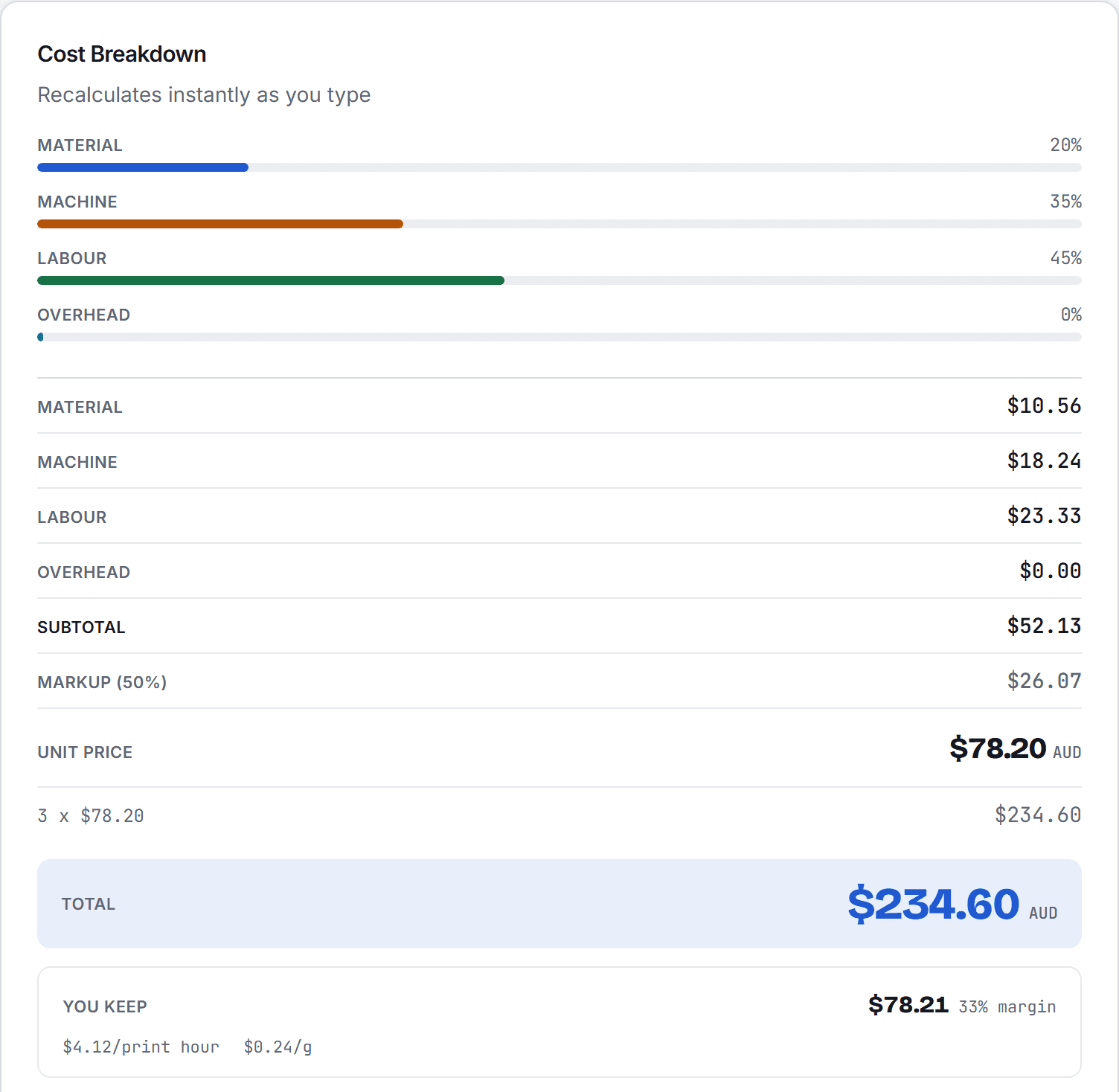
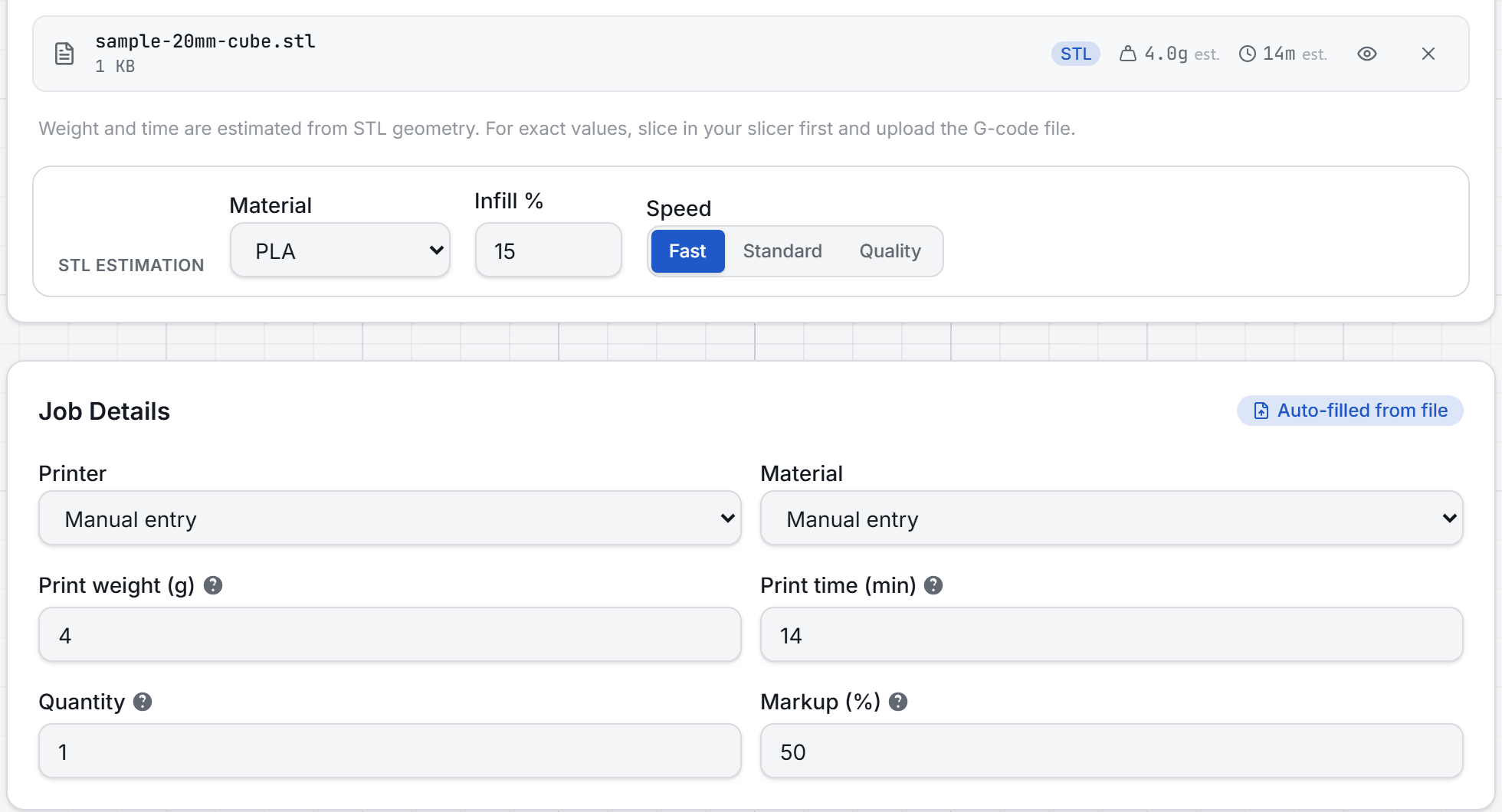
Instant cost breakdown from STL or G-code
03
Quote
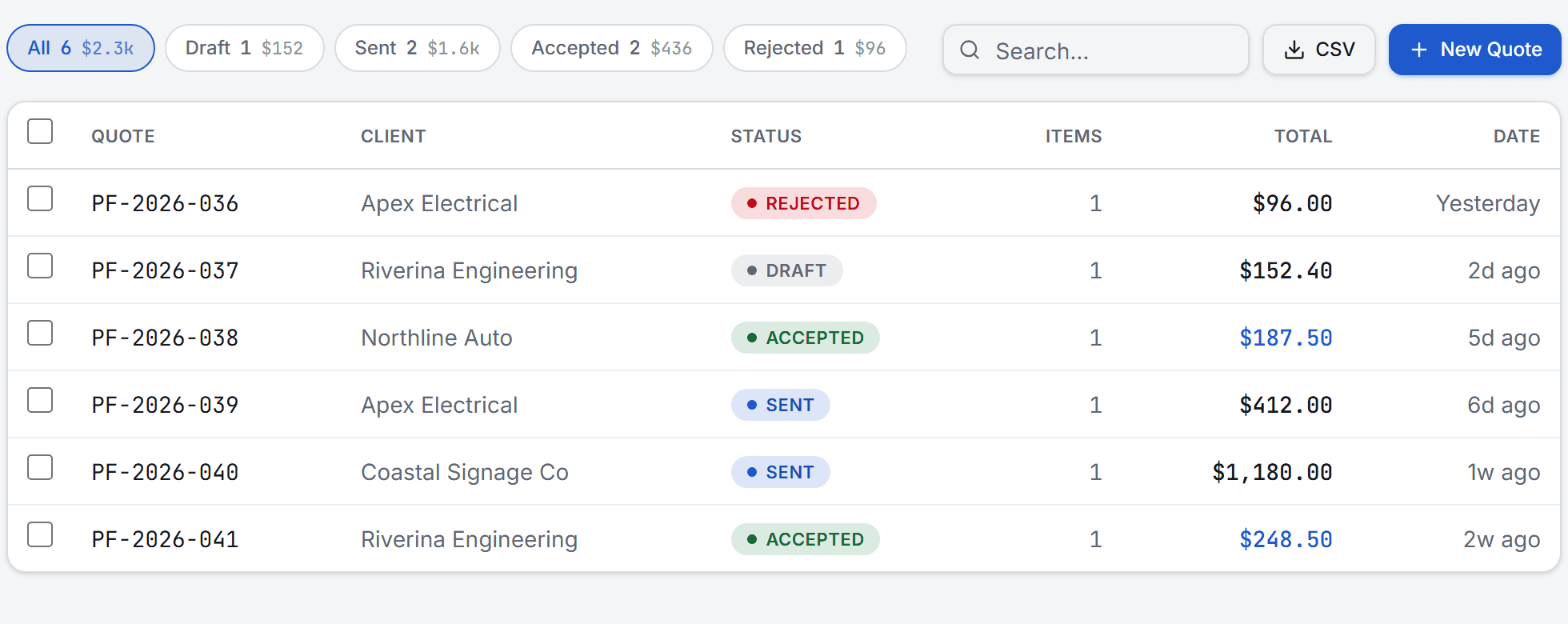
Professional PDF sent to client
04
Track
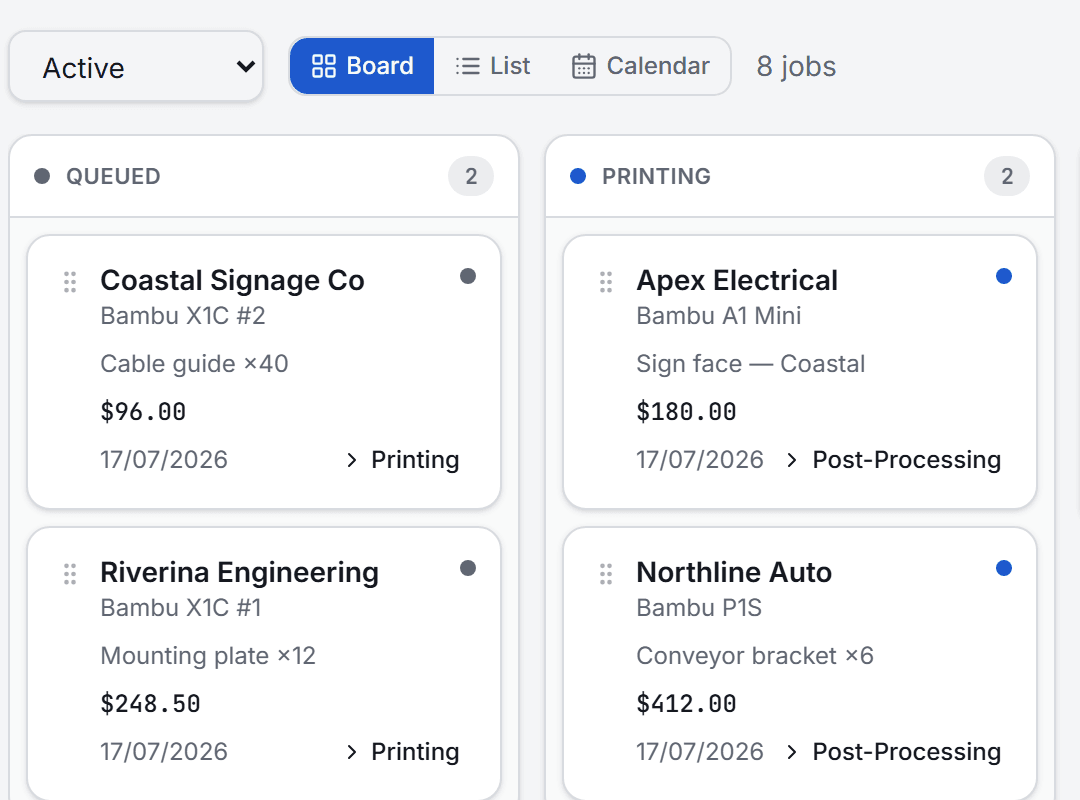
Kanban board + print farm calendar
05
Invoice
TAX INVOICE with GST and ABN
06
Paid
Payment recorded and tracked
01
Calculate & Price
Priced before you hit send — straight from the file
Upload an STL or G-code file and get an instant cost breakdown. Material weight, machine time, labour, and overhead — calculated automatically from your real printer and material data. You know the true cost the moment the file lands, not weeks later in a spreadsheet.
Material, machine, labour & overhead breakdown
STL & G-code upload from any slicer
Save presets for repeat materials and setups
02
Quote & Invoice
Professional documents in clicks
Create numbered quotes with line items, markup, terms, and expiry dates. Convert to invoices on completion. PDF generation with your branding, GST, ABN, and PAID watermark.
Numbered quotes with status tracking
Invoicing with TAX INVOICE header and GST
PDF export with your logo and branding
03
Manage & Track
Your entire operation, one dashboard
Client database with tags and interaction timeline. Job tracking on a kanban board or print farm calendar. Material inventory with stock alerts and supplier management.
Client database with tags and payment terms
7-stage kanban board with drag-and-drop
Print farm calendar with weekly Gantt view
04
Connect & Scale
Integrations that grow with you
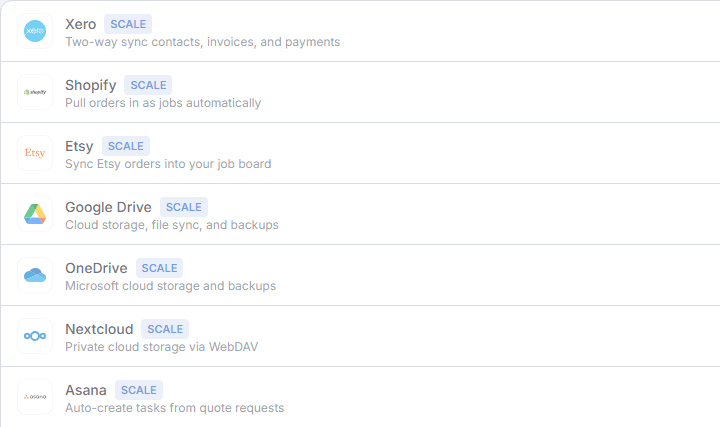
Pull orders from Shopify, sync accounting with Xero, store files on Google Drive or OneDrive. Product and file libraries keep sellable items and production assets organised.
Shopify order sync with auto-created clients
Xero accounting — invoices, contacts, payments
Google Drive & OneDrive file sync
No CAD required
Turn a picture into a product
Generators that do the modelling for you. Upload artwork, set the size, download a print-ready file — the 3D preview you see is the exact geometry you get.
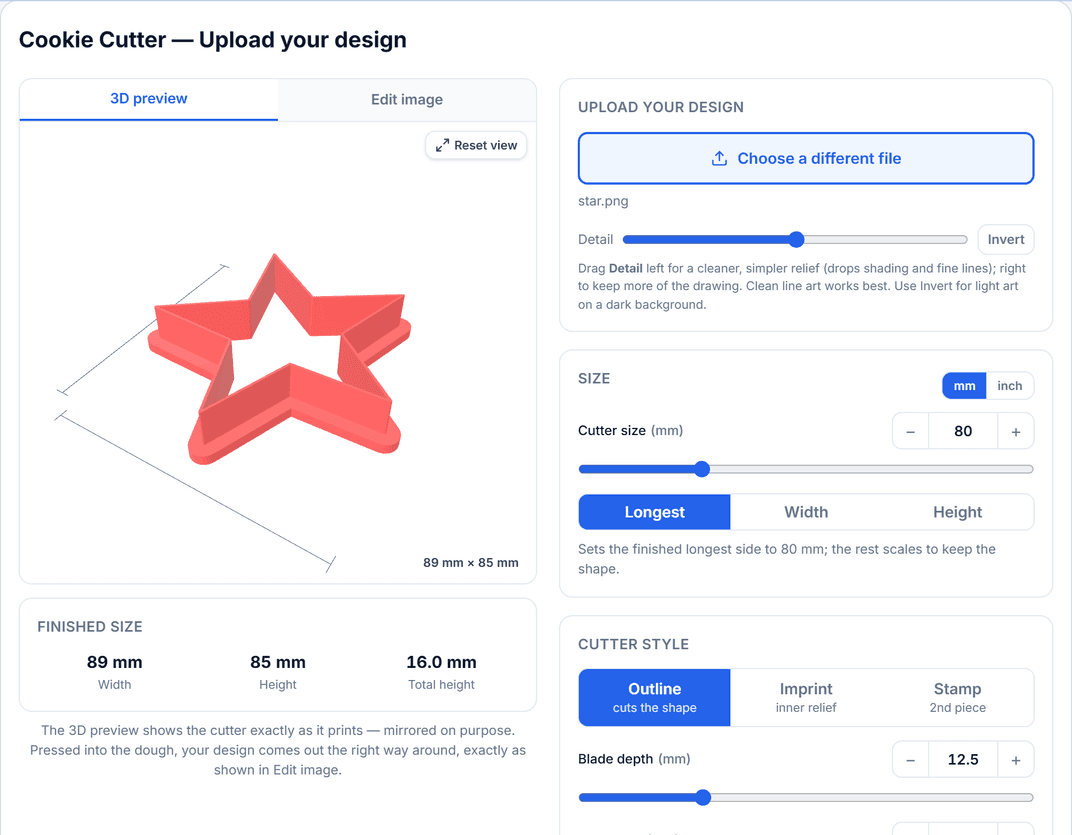
Cookie Cutter
Pro
Any image becomes a clean, printable cutter. Line art is traced, sealed into a single outline, and thickened into a blade that actually cuts dough.
Outline, imprint or a separate stamp piece
Size in millimetres or inches, with the finished size shown live
Optional handle, tapered cutting edge and support bars
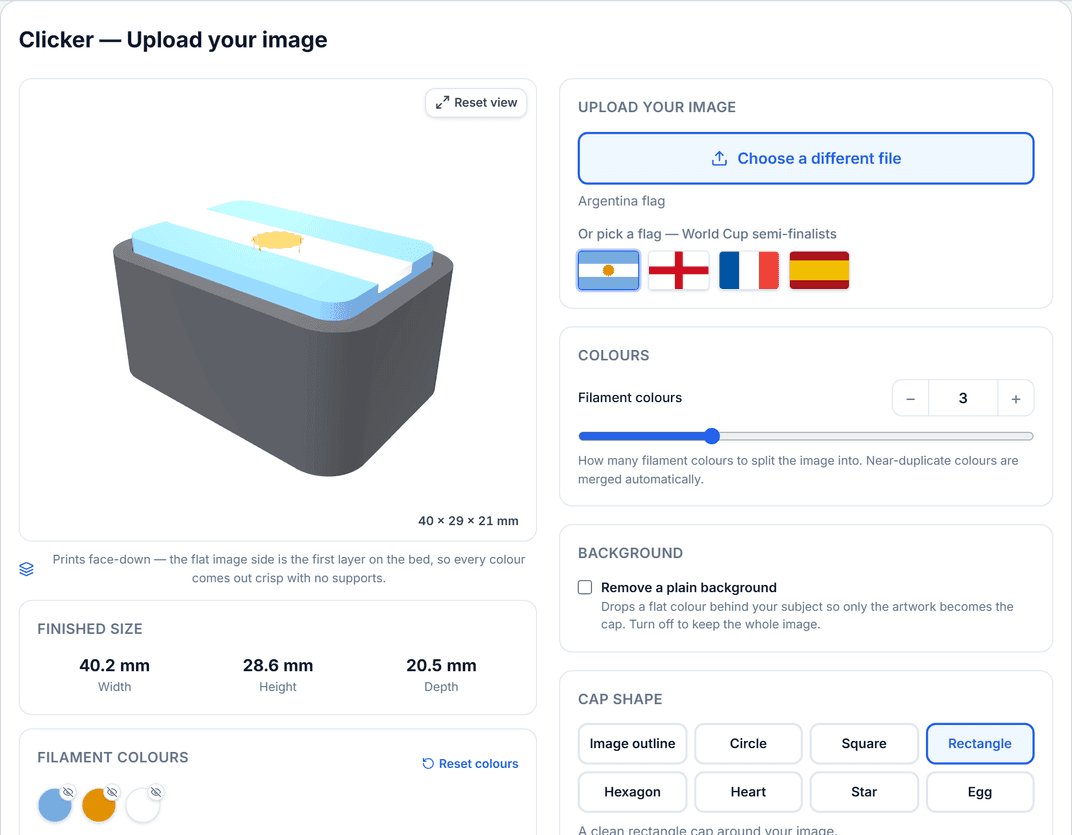
Clicker
Pro
An image becomes a multicolour pressable button built around a real Cherry-MX or Kailh Choc switch — one file, one colour per filament.
Colours split automatically into separate printable parts
Cap shapes, bezel, keyring loop and switch type
Lays out face-down on the bed, so it prints without supports
Both run in the browser and export straight to your slicer. Sell the print, sell the file, or keep it — it is your design.
Also included: Layered Art (a photo as a multicolour stacked print), Stamp & Embosser, Text Plate, Mold Maker and Vacuum Nozzle — same idea, no CAD.
Everything past the quote is already built in: invite your team with roles and permissions, track hours, manage finished-goods stock and shipments — no second app to buy.
Not sure which plan fits? Ask the person building it.
Tell me how you quote, how many printers you run, and where the admin gets painful. I’ll give you a straight recommendation — even if the free plan is enough.
You keep all your data and the Hobby tier features forever. Paid features lock until you subscribe to a plan. No data is deleted.
Do I need a credit card to start?
No. Sign up and get 14 days of full Pro access completely free. We only ask for payment if you decide to continue with a paid plan.
What printers are supported?
Any 3D printer. The calculator is generic — enter your machine’s specs and costs. G-code parsing supports Bambu Studio, OrcaSlicer, PrusaSlicer, and Cura.
Can I import orders from Shopify?
Yes. Connect your Shopify store and Printforge pulls unfulfilled orders as jobs, auto-creates client records, and tracks pricing. One-click sync or automatic via webhooks.
How does the AI assistant work?
Describe a print job in plain English (e.g. ‘PETG phone stand, 50g, red’) and Claude generates a structured quote with line items, material costs, and print time estimates based on your actual printer and material data.
Can multiple people use it?
Yes. Printforge supports multiple users with role-based access. Each user sees only their own data.
How do customer upload links work?
Create a shareable link from the Requests page and send it to customers via email, your website, or social media. They can upload 3D files (STL, 3MF, STEP, OBJ, G-code) with their name and details. Files appear in your quote request queue — review, quote, or dismiss. Each link is rate-limited and revocable.
What currencies are supported?
AUD, USD, EUR, and GBP. Set your default in settings — all quotes, invoices, and calculations use your chosen currency.
How do you calculate 3D printing costs?
Total Cost = Material + Machine Time + Labour + Overhead. Material cost is part weight (plus supports and waste) multiplied by per-gram filament cost. Machine cost includes electricity, depreciation, and maintenance per hour. Labour covers setup, post-processing, and packing. Overhead includes monthly fixed costs divided across jobs. Printforge automates this entire calculation — upload your STL or G-code file and get an instant breakdown.
How much does it cost to 3D print something?
Typically $0.50 to $50+ depending on size, material, and complexity. A small PLA keychain might cost $0.50–$2 in materials plus $1–3 in machine time. A large PETG enclosure could cost $10–20 in materials plus $5–10 in machine time. Use Printforge’s free calculator to get exact cost breakdowns for your specific prints.
What is the best 3D printing quote software?
Printforge is a free 3D printing business platform for small to medium print shops. It includes a cost calculator, professional PDF quotes, job tracking, inventory management, client CRM, invoicing, Shopify integration, and AI-powered quote drafting. The Hobby tier is free with generous limits, and paid plans start at $4/mo (billed annually).
Can I use Printforge to run a 3D print shop?
Absolutely. Printforge is built for 3D print shops of any size. Upload customer STL files, calculate costs instantly, send professional PDF quotes, track jobs on a kanban board, manage material inventory with low-stock alerts, and invoice clients — all from one platform. Start free with the Hobby tier and upgrade as your shop grows.
How does the 3D printing cost calculator work?
Upload an STL or G-code file and Printforge automatically calculates material weight, estimates print time, and breaks down costs into material, machine time, labour, and overhead. Set your own filament prices, machine rates, and markup percentages. Save presets for different printer and material combinations. The calculator is available on every plan, including the free Hobby tier.
Can I add my team to Printforge?
Yes. On the Pro plan you can invite your team and give each person a role — designer, warehouse, finance, or a custom mix — with permissions you control feature by feature. Your team works from a shared design board, timesheet, inventory and shipments, and you decide who can see pricing and revenue. Members don't need their own subscription — everyone rides your plan.
Who owns my data — and can I export it?
You do. Your quotes, clients, jobs and invoices stay yours, with CSV export built in. If you cancel a paid plan you simply drop back to the free Hobby tier — nothing is deleted and your files remain yours to download. No lock-in.